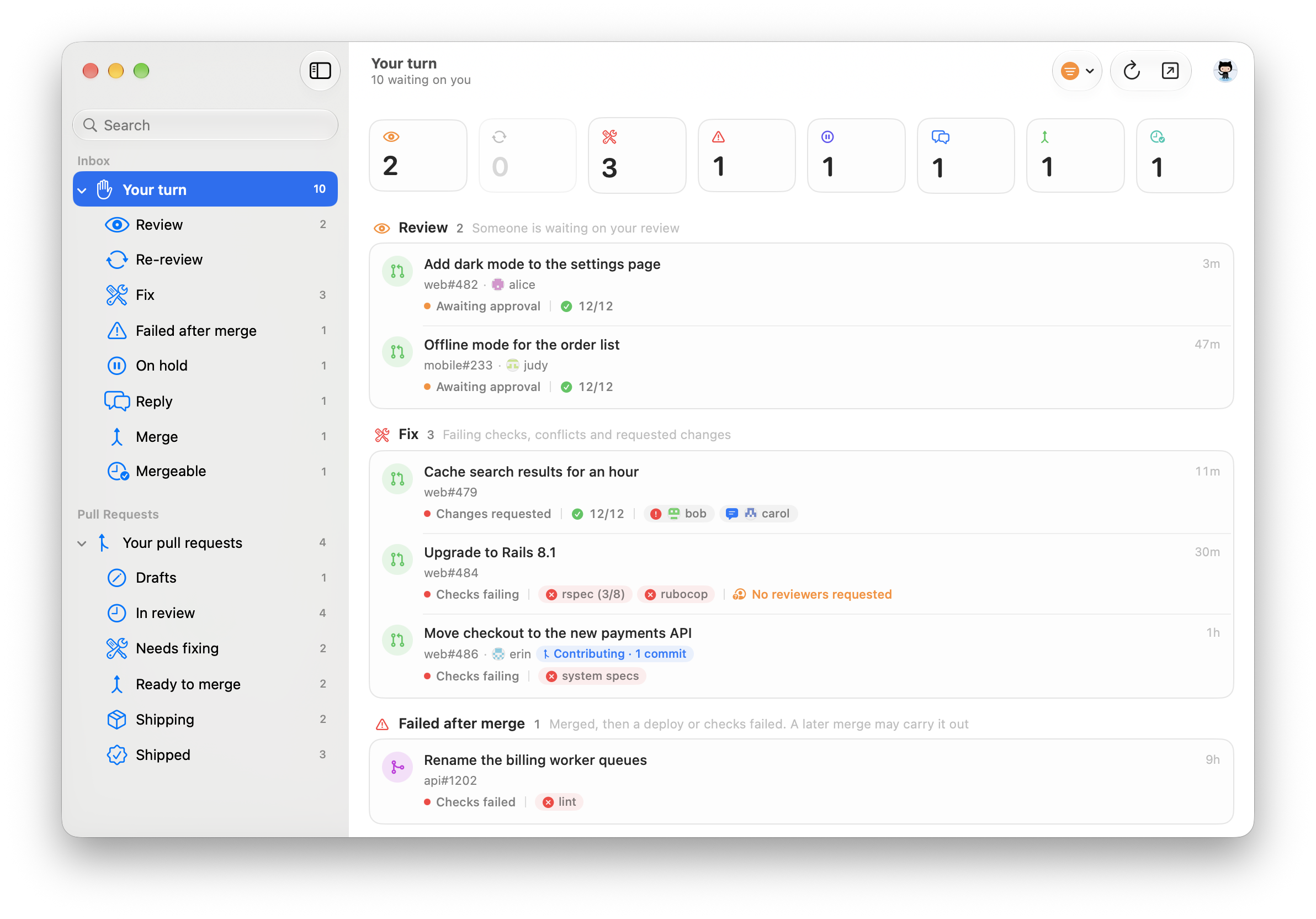
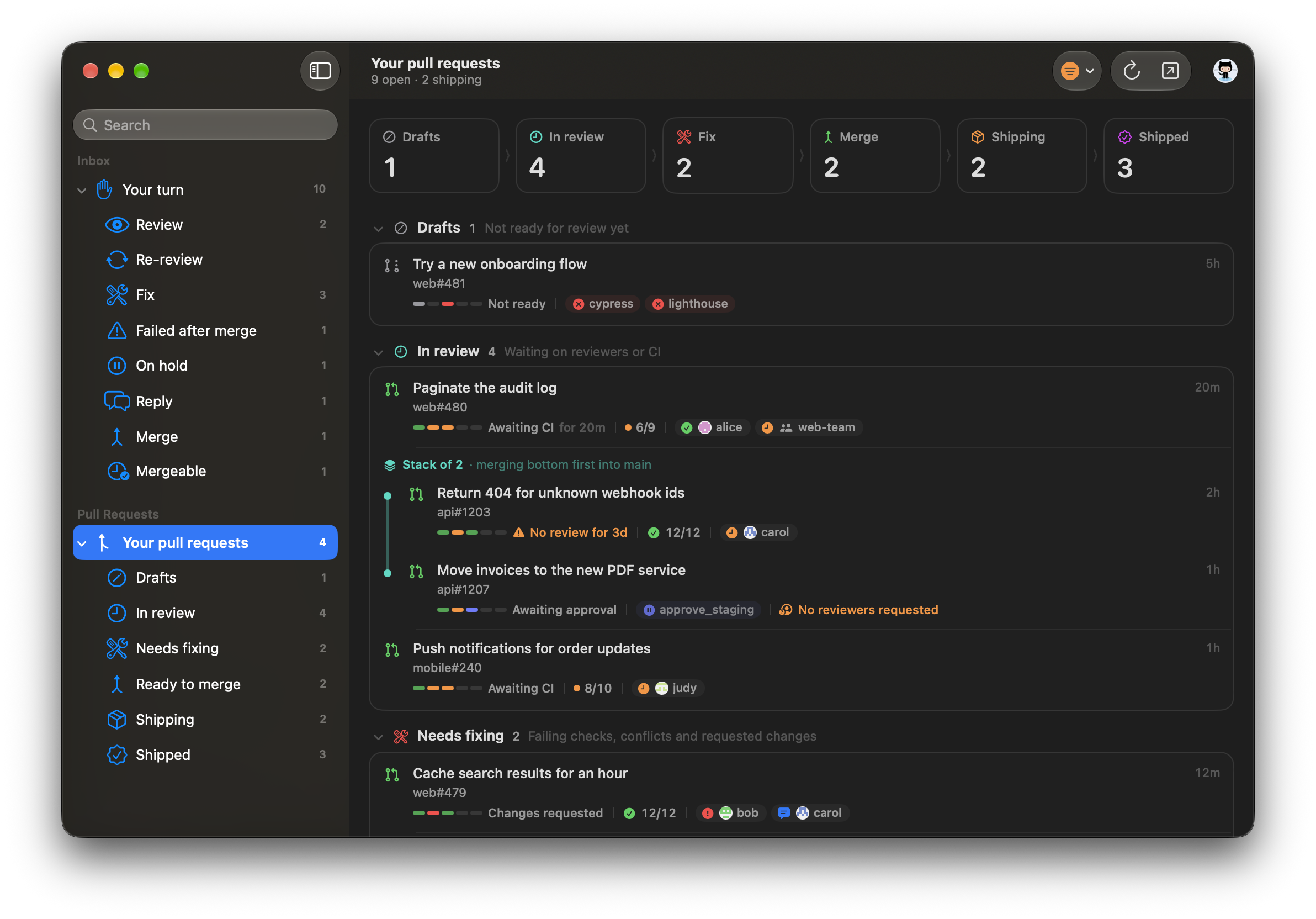
GitBell groups your GitHub activity into reviews, fixes, replies, held CI jobs and merges, shows why each one needs you, and leaves out the rest. The Dock icon shows how many are waiting.
See which check broke.
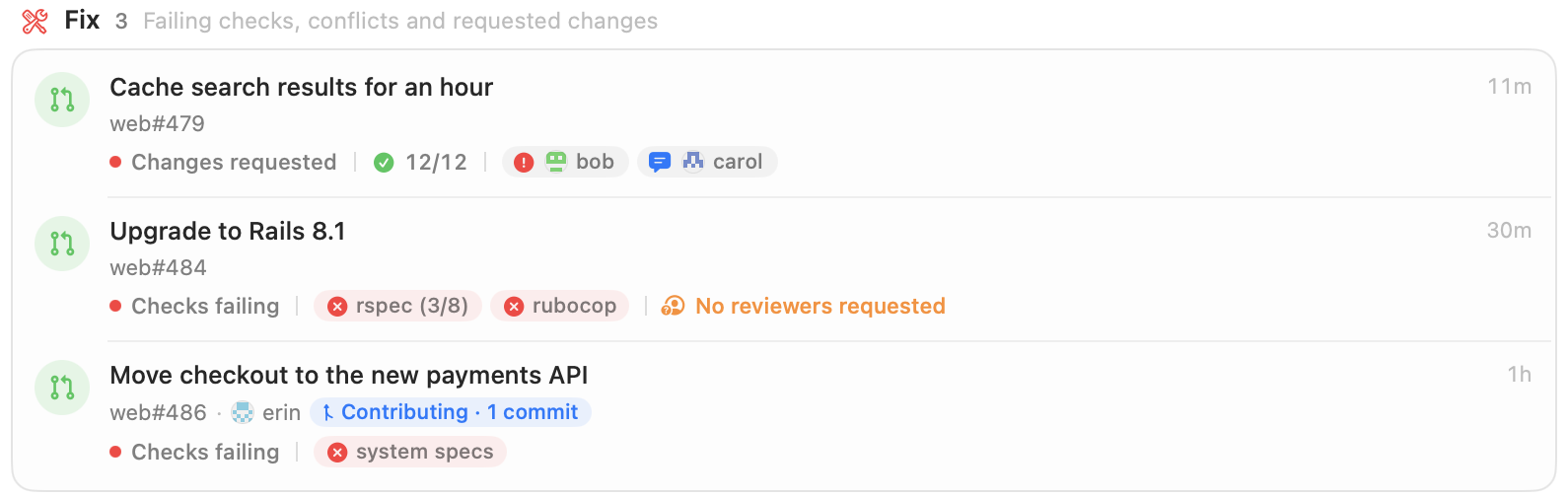
Each row names the failing checks, requested changes and missing reviewers, so you can see what to fix before opening it.
Fix 3 Failing checks, conflicts and requested changes
Move checkout to the new payments APIweb#486 · erin
Checks failingsystem specs
Your pull requests, by stage.
From draft to deployed, with what each one is waiting on and for how long.
Drafts1
In review4
Fix2
Merge2
Notifications.
For review requests, failing checks, requested changes, pull requests ready to merge, deploys, and checks that fail after a merge.
Checks failingweb#484 · rspec, rubocopGitBell · now
Review requestedweb#482 · Add dark mode to the settings pageGitBell · 3m ago
Stacks stay together.
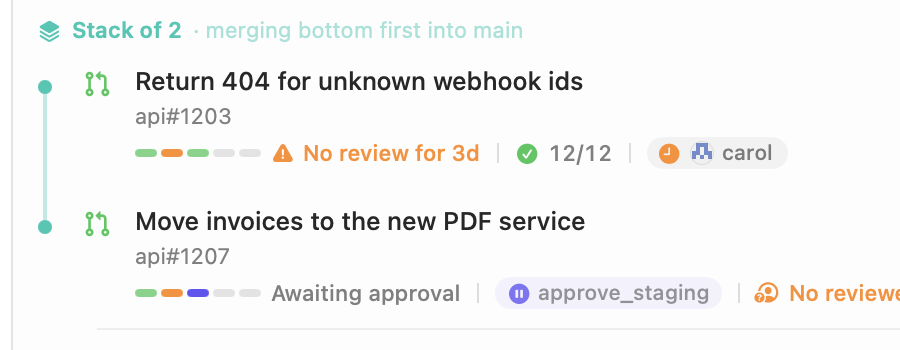
Pull requests built on each other's branches are shown together, in merge order. You can also approve held CircleCI jobs from the list.
Stack of 2· merging bottom first into main
Return 404 for unknown webhook idsapi#1203
No review for 3d12/12carol
Move invoices to the new PDF serviceapi#1207
Awaiting approvalapprove_staging
Timelines.
Each pull request's history, from opening to deploy, with how long each step took.
Opened
Review
Checks
Merged
Deployed
Example timings.
A native Mac app.
Written in Swift and SwiftUI and laid out like Mail: a sidebar of pages and groups with counts, and search at the top. It supports light and dark mode, and Liquid Glass on macOS 26.
Menu bar
An optional menu bar icon opens the window or a compact popover.
Filters
Choose which organisations to include, whether to show personal repositories, and whose activity counts.
Keyboard shortcuts
Every action is in the menus, with its shortcut.
Install.
Download
Drag GitBell to Applications. It updates itself with Sparkle.
GitBell uses your GitHub CLI login if you have one. Otherwise paste a classic personal access token with notifications, repo and read:org. It's kept in your Keychain. A CircleCI token is optional, for approving held jobs.
Privacy.
There's no GitBell server. The app talks to GitHub directly from your Mac.
Keychain
Your GitHub and CircleCI tokens are kept in the macOS Keychain.
Usage data
Release builds send anonymous usage counts and crash reports, without your token or any names. You can turn this off in Settings → General → Privacy.
Open source
MIT licensed. You can build it yourself with Xcode and XcodeGen; builds from source send no data.